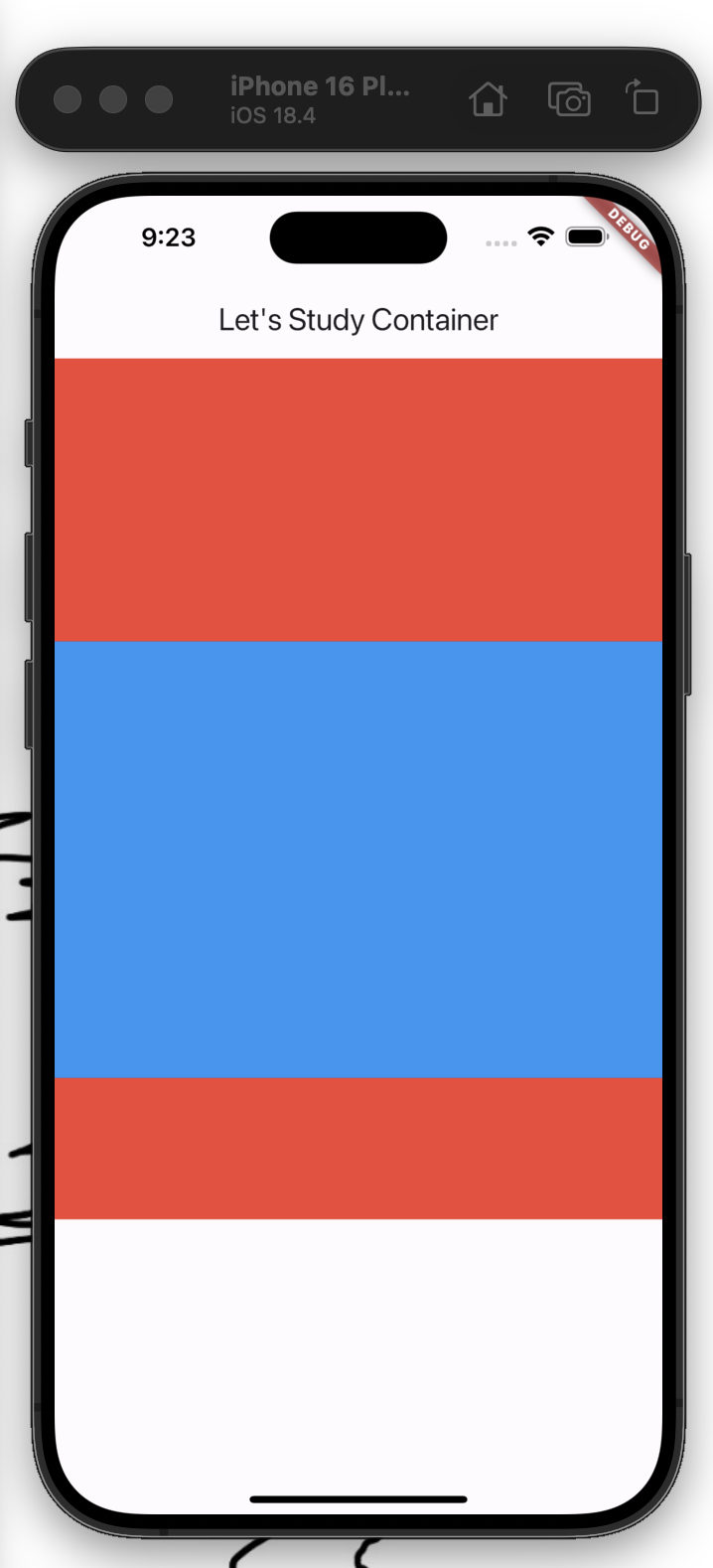
import 'package:flutter/cupertino.dart';
import 'package:flutter/material.dart';
import 'package:flutter/widgets.dart';

void main() {
  runApp(
    MaterialApp(
      home: Scaffold(
        appBar: AppBar(
          title: Text("Let's Study Container"),
        ),
        body: Body(),
      ),
    ),
  );
}

class Body extends StatelessWidget {
  const Body({super.key});

  @override
  Widget build(BuildContext context) {
    return Column(
      children: [
        Container(width: double.infinity, height: 200, color:Colors.red),
        Expanded(child: Container(color: Colors.blue,  height:100)),
        Flexible(child: Container(color: Colors.red,  height:100)),
        // Flexible(flex: 3, child: Container(color: Colors.green)),
        // Flexible(flex: 4, child: Container(color: Colors.yellow)),
        // 각각 비율을 산정하고 싶을때 : green & yellow 는 3:4의 비율로 전체를 차지하게 될 예정
      ],
    );
  }
}
Flutter에서 Expanded와 Flexible의 차이, 기본적으로 조심해야할것은
SingleChildScrollView 안에다가 쓰면은 안된다. 이유 : 높이/너비를 infinite하기 때문에 값 자체를 넣는것이 제일 좋다
'Coding > Dart & Flutter' 카테고리의 다른 글
| [Flutter] Input Buttons & Widget (0) | 2026.03.05 |
|---|---|
| [Flutter] Stack (0) | 2026.03.03 |
| [Flutter] Stateful & Stateless (0) | 2026.02.26 |
| [Flutter] Row, Column (0) | 2026.02.26 |
| [Flutter] Container 세부 Function 확인해보기 (0) | 2026.02.25 |