State자체가 바꾸기 위해서는 보통 Stateful함수를 쓴다. 여기서 봐야할 것은
Stateful안에서 변수를 넣을때 인데, widget에서 초기에 변수를 선언하게 된다면 나중에는 _언더바를 통해서
private 변수를 따로 만들어서 사용하는게 좋다.
또한, initstate와 dispose를 통해서 최적화하는것은 필수
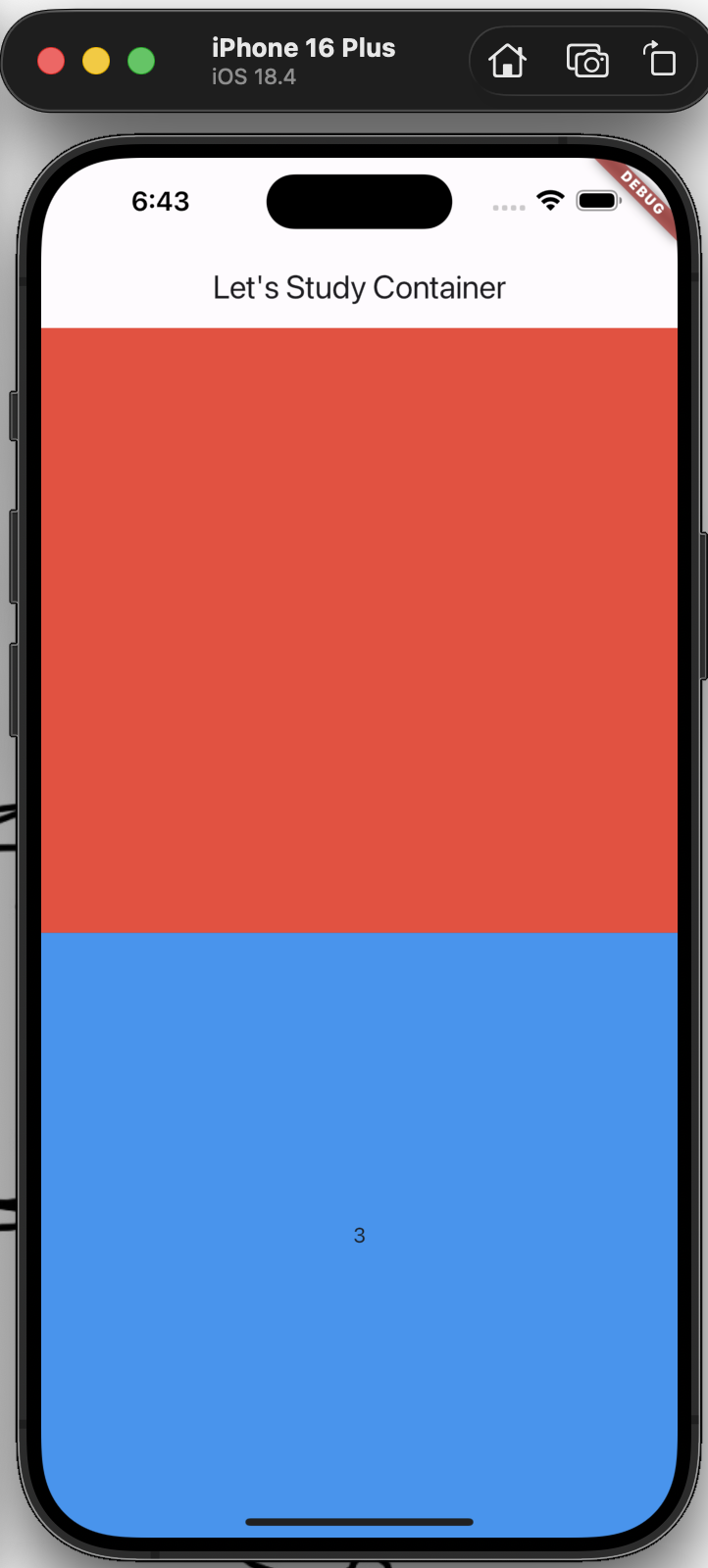
import 'package:flutter/cupertino.dart';
import 'package:flutter/material.dart';
import 'package:flutter/painting.dart';
import 'package:flutter/widgets.dart';

void main() {
  runApp(
    MaterialApp(
      home: Scaffold(
        appBar: AppBar(
          title: Text("Let's Study Container"),
        ),
        body: Body(),
      ),
    ),
  );
}

class Body extends StatelessWidget {
  const Body({super.key});

  @override
  Widget build(BuildContext context) {
    return Column(
      children: [
        ExampleStateless(),
        ExampleStateful(index: 3),
      ]
    );
  }
}

class ExampleStateless extends StatelessWidget {
  const ExampleStateless({super.key});

  @override
  Widget build(BuildContext context) {
    return Expanded(
      flex: 1,
      child: Container(
        color: Colors.red,
      ),
    );
  }
}

class ExampleStateful extends StatefulWidget {
  final int index;

  const ExampleStateful({required this.index, super.key});

  @override
  State<ExampleStateful> createState() => _ExampleStatefulState();
}

class _ExampleStatefulState extends State<ExampleStateful> {
  late int _index;
  late TextEditingController textController;

  @override
  void initState() {
    super.initState();
    _index = widget.index;
    textController = TextEditingController();
  }


  @override
  void dispose() {
    textController.dispose();
    super.dispose();
  }

  @override
  Widget build(BuildContext context) {
    return Expanded(
      flex: 1,
      child: GestureDetector(
        onTap: () {
          setState(() {
            if (_index == 5) {
              _index = 0;
              return;
            }

            _index ++;
          });
        },
        child: Container(
          color: Colors.blue,
          child: Center(
            child: Text('$_index'),
          ),
        ),
      ),
    );
  }


}'Coding > Dart & Flutter' 카테고리의 다른 글
| [Flutter] Stack (0) | 2026.03.03 |
|---|---|
| [Flutter] Flexible, Expanded (0) | 2026.03.02 |
| [Flutter] Row, Column (0) | 2026.02.26 |
| [Flutter] Container 세부 Function 확인해보기 (0) | 2026.02.25 |
| [Flutter] MaterialApp내 Scaffold 꾸며 보기 (0) | 2026.02.20 |